
01
Choose network identity.
Start with Residential, Datacenter, or ISP based on the destination and session pattern.
Globale Proxy-Standort-Abdeckung
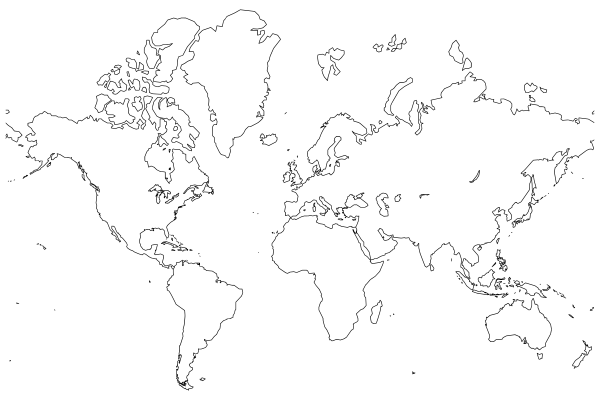
Place Residential, Datacenter, or ISP proxy routes in the markets your workflow needs to observe. The network footprint spans 195 countries; available locations and targeting depth vary by proxy service.
Popular markets
Jump into a market, or search the complete 195-country directory below.
Proxy services
Location targeting works inside a proxy service. Select the identity and session model first, then apply the market context the workload requires.
Location directory
Find a country by name or ISO code, or filter the catalog by region. The directory represents overall geographic scope; current routability and targeting depth vary by network, market, and applicable requirements.
Netzwerk-Guidance
This directory represents overall proxy geography. Current routability, targeting depth, and service eligibility vary by network, market, and applicable requirements.
54 locations
35 locations
48 locations
44 locations
14 locations
Location mechanism
Define the network, select the broadest useful geography, add finer precision when the result needs it, then connect through the generated route.
01
Start with Residential, Datacenter, or ISP based on the destination and session pattern.
02
Set a country from the 195-location catalog to establish the geographic context.
03
Add state, city, ZIP, or ASN precision where the selected network and market support it.
04
Use the generated proxy URL in the server-side client, browser, or crawler your team operates.
Location-aware use cases
Location is most useful when it represents a real condition behind the result—not simply another routing option.
Integration
Create the proxy URL for the chosen service and geography, keep it in a server-side environment variable, then connect with the language or tool your team already uses.
Connection path
The generated URL contains the provisioned network and location context, so application code stays simple.
Select proxy service
Choose location and session
Generate the connection URL
Store it as a server-side secret
export WSA_PROXY_URL="<GENERATED_LOCATION_PROXY_URL>"

curl --proxy "$WSA_PROXY_URL" \
  --request GET "https://example.com/public-page"
import os
import requests
proxy_url = os.environ["WSA_PROXY_URL"]
response = requests.get(
"https://example.com/public-page",
proxies={"http": proxy_url, "https": proxy_url},
timeout=30,
)
response.raise_for_status()
print(response.text)import { ProxyAgent, fetch } from "undici";
const proxyUrl = process.env.WSA_PROXY_URL;
const response = await fetch(
"https://example.com/public-page",
{ dispatcher: new ProxyAgent(proxyUrl) }
);
if (!response.ok) throw new Error(`Target returned ${response.status}`);
console.log(await response.text());Trust and responsible use
Use the Trust Center to review WebScrapingAPI’s responsible-web-data guidance, privacy and data-handling approach, and security information alongside your technical evaluation.
FAQ
Choose the network first, then the broadest geographic precision that gives the result its required context.
Discuss your locationsWebScrapingAPI provides overall proxy coverage across 195 countries. Use the directory to search by country or region; current routability and targeting depth vary by network, market, and applicable requirements.
Start with country targeting, then refine to state, city, ZIP, or ASN where that precision is available for the selected proxy network and market.
Residential, Datacenter, and ISP proxy services support geographic selection. The available location depth, allocation, and session behavior are matched to the chosen network and market.
ASN selection is available where supported by the chosen proxy network and location. Include the required ASN and fallback geography when you scope or configure the route.
Use the broadest geographic level that produces the required market context. Country targeting preserves more routing options; state, city, or ZIP targeting is useful when the result changes at a more local level.
Select the proxy service and location in the endpoint generator or the connection details provided for your account. Store the generated proxy URL server-side, then supply it to your proxy-aware client.
WebScrapingAPI publishes responsible-web-data guidance, privacy and data-handling information, and security material in its Trust Center so teams can align location-aware collection with their approved use case.
Route by market
Start with a country and proxy service, or share the exact state, city, ZIP, or ASN context your project needs.